Reveal URLs
Spot phishing links before you click.
A phishing email hides a hostile destination behind trustworthy-looking link text. Sometimes it is a look-alike host: the text reads paypal.com while the link points at paypa1.com. Often it is subtler, routing through a tracker or redirector, so where you land is nothing like the brand named in the text. Reveal URLs shows the URL each link really points to, so the mismatch is plain to see.
This is not hypothetical. The message below is a real phishing email dressed up as a parcel-delivery notice from a postal service:
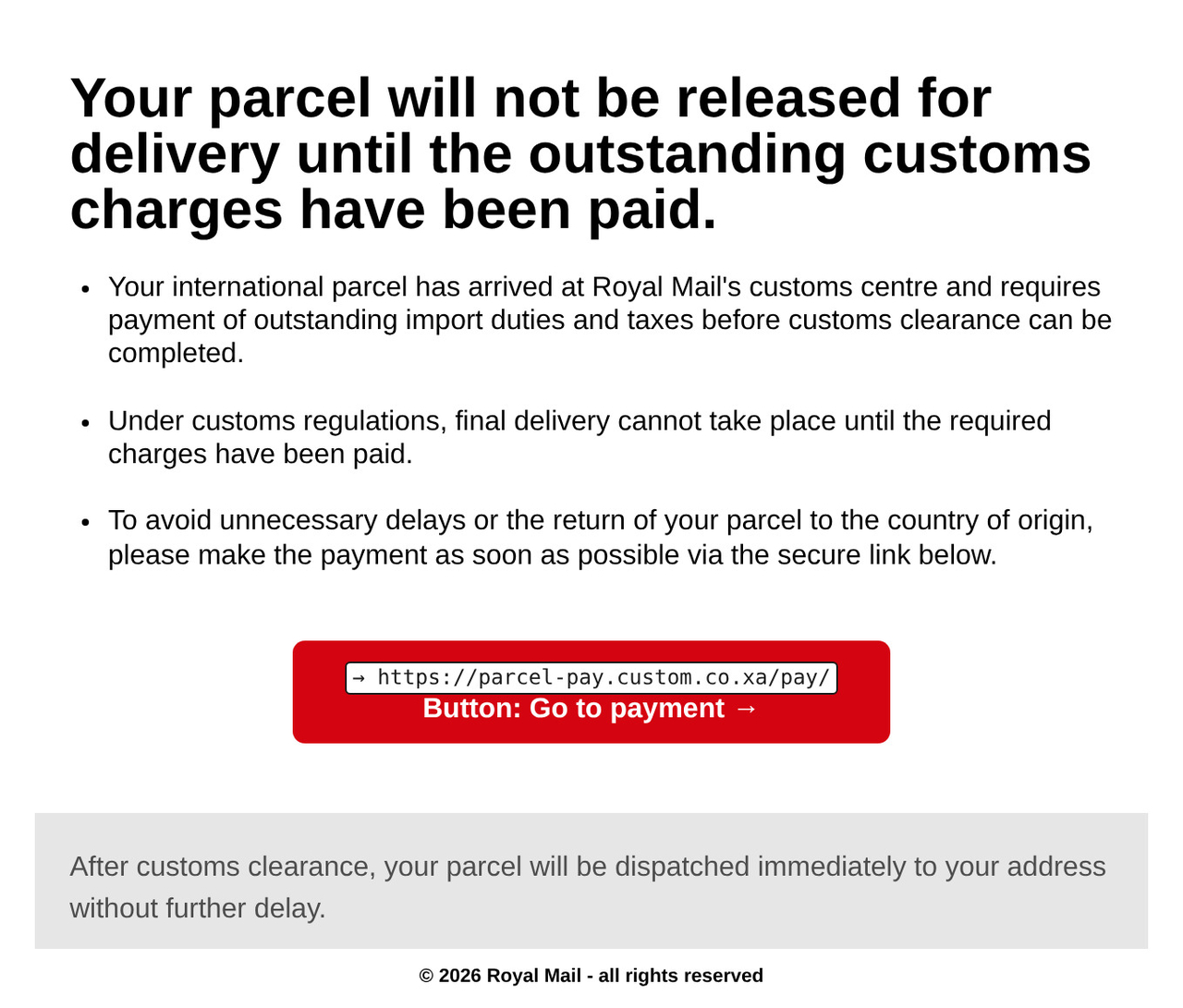
parcel-pay.custom.co.xa, not the postal service it impersonates.Note: This screenshot shows a fraudulent phishing email impersonating a postal service. The impersonated service is not affiliated with Reveal URLs and does not endorse it.
Reveal URLs is a small browser extension and Thunderbird add-on, and it also comes as an Outlook add-in and a Gmail add-on, that reads each link in the message you are reading and shows you the URL it points to. When the host named in the link text disagrees with where the link actually points, it flags the mismatch, so you see it before you click. The browser extension and Thunderbird add-on do everything on your device and transmit nothing. The Outlook add-in analyses your messages on your device and sends no email data anywhere — but its task-pane code is loaded from https://www.reveal-urls.eu over HTTPS, like any web page. The Gmail add-on runs on servers operated by Google LLC. There are no analytics and no tracking.
Reveal URLs shows each link's real destination; it does not check whether a site is safe. Read the URL before trusting a link, even when there is no warning.
Supported browsers, mail client and email add-ons
Web browsers
Mail applications
Why this matters
Mail and web apps too often show only the link text and hide the real URL, which is exactly what a phishing link relies on. For the reasoning behind always showing the destination, see Email link phishing: your app should always show the URL.
Install
Reveal URLs is available now — install it from the store for your browser or mail client:
Web browsers
- Brave runs the Chrome build from the Chrome Web Store
- Chrome Web Store
- Microsoft Edge Add-ons
- Firefox Add-ons (AMO)
- Opera runs the Chrome build from the Chrome Web Store
- Safari App Store (Safari extension)
Mail applications
- Google Workspace Marketplace (Gmail add-on)
- Microsoft Marketplace (Outlook add-in)
- Thunderbird Add-ons (ATN)
You can also build and load it yourself; see the install and build steps in the Manual.
Links
The browser extension and Thunderbird add-on do everything on your device and transmit nothing. The Outlook add-in analyses your messages on your device and sends no email data anywhere — but its task-pane code is loaded from https://www.reveal-urls.eu over HTTPS, like any web page. The Gmail add-on runs on servers operated by Google LLC. Read the full privacy policy.
Reporting an issue
Found a bug, a link Reveal URLs flagged wrongly (or missed), or a webmail host it should support? Please open an issue on the Codeberg issue tracker. Including the browser or mail client, the version (shown in the footer and on the options page) and a short description helps a great deal.